Passkeys: is 2026 the year we say goodbye to passwords?
Passkeys replace the password with a cryptographic key unlocked by fingerprint or face and synced across devices. Apple, Google and Microsoft push them because they are phishing-resistant by design. What they mean for your website and company accounts, and how to adopt them without breaking anything.
What are passkeys?
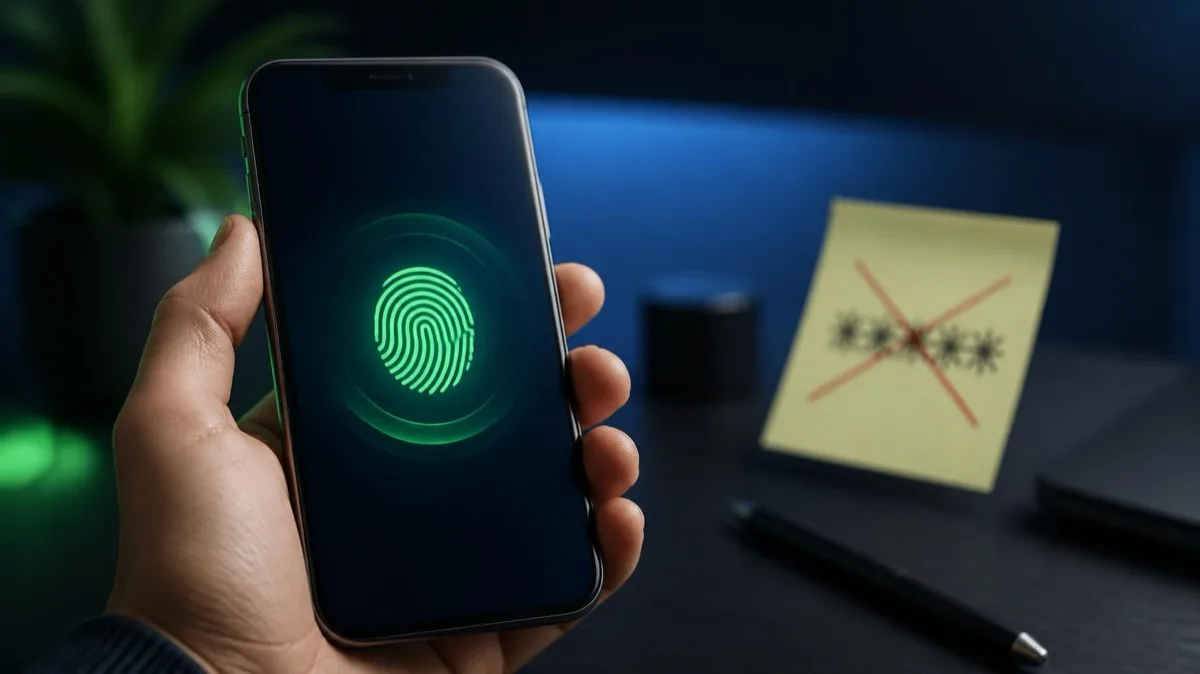
Passkeys are cryptographic credentials that replace the password: instead of a secret word to remember, your device holds a private key that no one can steal or intercept, and you unlock it with your fingerprint, face or PIN. They are the promise behind this article's title: 2026 really is the year we can start to picture the end of passwords.
Technically, passkeys are built on the FIDO2 and WebAuthn standards defined by the FIDO Alliance together with the W3C. The mechanism is public-key cryptography: when you register on a site, your device generates a key pair. The public key stays on the service's server, while the private key never leaves your device. At login the site sends a challenge, the device signs it with the private key unlocked by biometrics, and the server verifies the signature with the public key. No shared secret ever travels across the network.
The difference from a password is enormous. A password is a secret that you know and the server stores: if the server is breached, that secret ends up in someone else's hands. A passkey is not a shared secret: the server holds only the public key, useless on its own. That is exactly why we argued that your site's password is already for sale on the dark web for three euros — with passkeys that problem simply disappears, because there is nothing to put up for sale.
Why are Apple, Google and Microsoft pushing passkeys?
Apple, Google and Microsoft are pushing passkeys because the password has become the weakest link in digital security, and passkeys remove it at the root while syncing automatically across a user's devices.
All three platforms have built passkey support into their operating systems and browsers, making it available to billions of users with nothing to install. The private key is stored encrypted in the ecosystem's keychain — iCloud Keychain, Google Password Manager, Windows Hello — and synced across all of the user's devices: switch phones and your passkeys are simply there. The standards also support cross-device use: you can sign in from a computer that isn't yours by authenticating with your phone via a QR-code scan.
The reasons behind the push are three, and very concrete:
- Security: they eliminate phishing, password reuse and credential theft from databases, still the cause of most breaches.
- User experience: signing in with a fingerprint or face is faster than typing a password and waiting for an SMS code.
- Cost: fewer password resets mean fewer support calls, so more conversions and fewer drop-offs.
Three historic competitors converging on the same open standard is the most reliable signal that this is the direction of travel: it isn't one vendor's bet, it's shared infrastructure.
Are passkeys really phishing-proof?
Yes: passkeys are phishing-resistant by design, because there is no secret the user can type into a fake site or hand over to a scammer.
Traditional phishing works like this: you get an email impersonating your bank, you click, you type your username and password into a clone page, and your details go straight to the attacker. With passkeys this attack has no grip. First, there is nothing to type: the private key never leaves the device. Second, and more importantly, a passkey is cryptographically bound to the domain it was created for. A passkey for real-bank.com will not activate on real-bank-login.net, because the domain doesn't match. Human error is taken out of the equation.
This closes one of the most exploited attack vectors of all time. Just look back at our roundup of the 10 worst data breaches from 2015 to today to see how many start with credentials that were stolen, reused or tricked out of someone. Passkeys neutralize entire categories of risk: credential stuffing, phishing and mass theft from databases, because the server only holds the public key, useless on its own.
What changes for a company website or portal?
Enabling passkey login on your website, portal or e-commerce means offering faster, more secure access, with a direct and measurable impact on conversions, support costs and fraud risk.
On the business side the benefits are tangible:
- More conversions: less friction at login and sign-up means fewer abandoned carts and fewer half-finished accounts.
- Fewer password resets: "forgot my password" is one of the costliest items in support; passkeys cut it dramatically.
- Lower credential-stuffing risk: automated attacks trying millions of stolen combinations simply stop working.
- Less fraud and fewer chargebacks: access tied to a device and biometrics is far harder to compromise.
Then there is the internal side, often overlooked: company accounts. Adopting passkeys for management systems, portals and cloud services used by employees slashes the risk that a single stolen password opens the door to the whole company. It is the same digital-hygiene principle that makes an organization more resilient and more compliant: anyone who has dealt with the NIS2 directive knows that strong, phishing-resistant authentication is no longer optional, but a concrete expectation for many companies in the supply chain.
Will passkeys fully replace passwords?
Not right away: in 2026 passkeys will still coexist with passwords and MFA, and the right strategy for a business is to offer them as the preferred option, not to impose them overnight.
The current limits are worth knowing so you can manage them. Syncing is convenient but tied to the ecosystem, and moving between Apple, Google and Microsoft is not yet perfectly smooth. Then there is recovery: if you lose all your devices you need well-designed restore mechanisms, because there is no "forgot password" to reset. Finally, not every user and older device is ready: a gradual path is essential.
That is why the key word of this transition is coexistence. Passkeys are added to existing methods as a safer option, while passwords and MFA remain as a safety net. The goal is not to switch off passwords tomorrow, but to make them secondary, with the passkey as the default.
How does an SME adopt passkeys in practice?
An SME adopts passkeys through a gradual path: first offering them as an additional method alongside the password, then making them the default option, and finally reducing dependence on passwords where it makes sense.
- Technical check: make sure your site, e-commerce or portal uses an authentication system that supports WebAuthn/FIDO2 (many modern platforms and major identity providers already offer it).
- Side-by-side rollout: enable the passkey as an additional login method without removing the password straight away. Users try it, trust it, adopt it.
- Robust recovery: design account recovery well (multiple registered devices, verified recovery channels) before pushing adoption.
- Internal first or alongside: roll out passkeys for employees' company accounts, where the perimeter is controlled and the benefit is immediate.
- Communication: explain to customers what a passkey is and why it's safer and more convenient; adoption grows with trust.
- Measure and expand: track adoption, password resets and login drop-offs, and make the passkey the default when the numbers justify it.
As with any digital change, the mistake to avoid is the abrupt leap: start from a controlled perimeter, measure, expand.
In summary
Passkeys are cryptographic credentials based on the FIDO2 and WebAuthn standards that replace the password: the private key stays on the user's device, unlocked by biometrics, while the server holds only the public key, useless to steal. They are phishing-resistant by design, because they are bound to the correct domain and there is no secret to type or hand over, and they neutralize credential stuffing and mass theft from databases. Apple, Google and Microsoft have built them into their systems with automatic syncing across devices. For a business, enabling them on its website or portal means more conversions, fewer password resets and less fraud; internally, they reduce the risk that a single stolen credential compromises the whole organization. In 2026 they don't yet fully replace passwords: they coexist with passwords and MFA in a transition phase. The right path for an SME is gradual — offer them as an additional method, get recovery right, then make them the default option.
At A126 we help businesses introduce passkey login on websites, e-commerce and customer portals and adopt phishing-resistant authentication for company accounts, with a gradual path that coexists with existing methods and cuts resets, drop-offs and breach risk. If you want to understand how to bring passkeys into your company without breaking anything, contact us for a free consultation.
A126 Corporate Advisors — security that simplifies, instead of complicating.